
For wholesalers with their own warehouse and orders that are just a bit different
Most orders run as standard. Alongside them come requests for a non-standard size, an assembled set or a variant not yet in the range, sometimes with an assembly step in between. MintIQ keeps both flows in one system, from the first email to the pallet leaving the door.
What we see at wholesalers
The specification does not exist yet
A customer asks for something custom. The salesperson emails the customer about the details and the supplier about what is possible, and only when everything is settled does the order go into the system. Until then the request lives in an inbox, and when that colleague is off, it stands still.
Custom work alongside the standard flow
The ERP knows items and orders. An order where something has to be assembled first fits poorly, so someone keeps track in Excel of what is still in the workshop and when it will be ready.
The warehouse hears about it last
A change to the order comes by phone call or on a note, and the fact that a customer does not want mixed pallets is mostly known to the regular order picker.
One custom order, from email to invoice
The request comes in
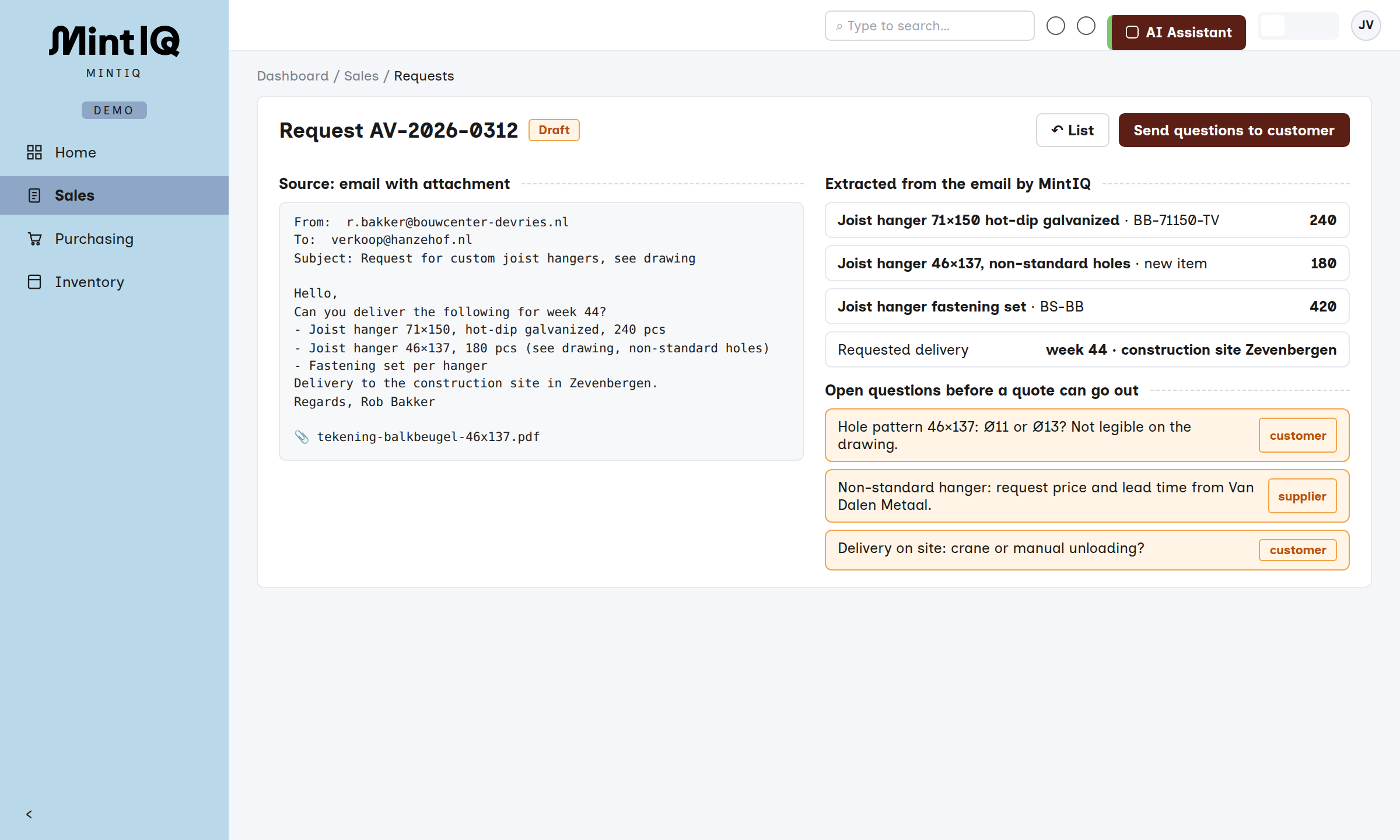
An email with a drawing or PDF lands with the salesperson, who retypes it or leaves it until there is time.
The email becomes a draft request, with the missing questions already listed. The salesperson fills in the gaps and forwards the questions.
The specification becomes complete
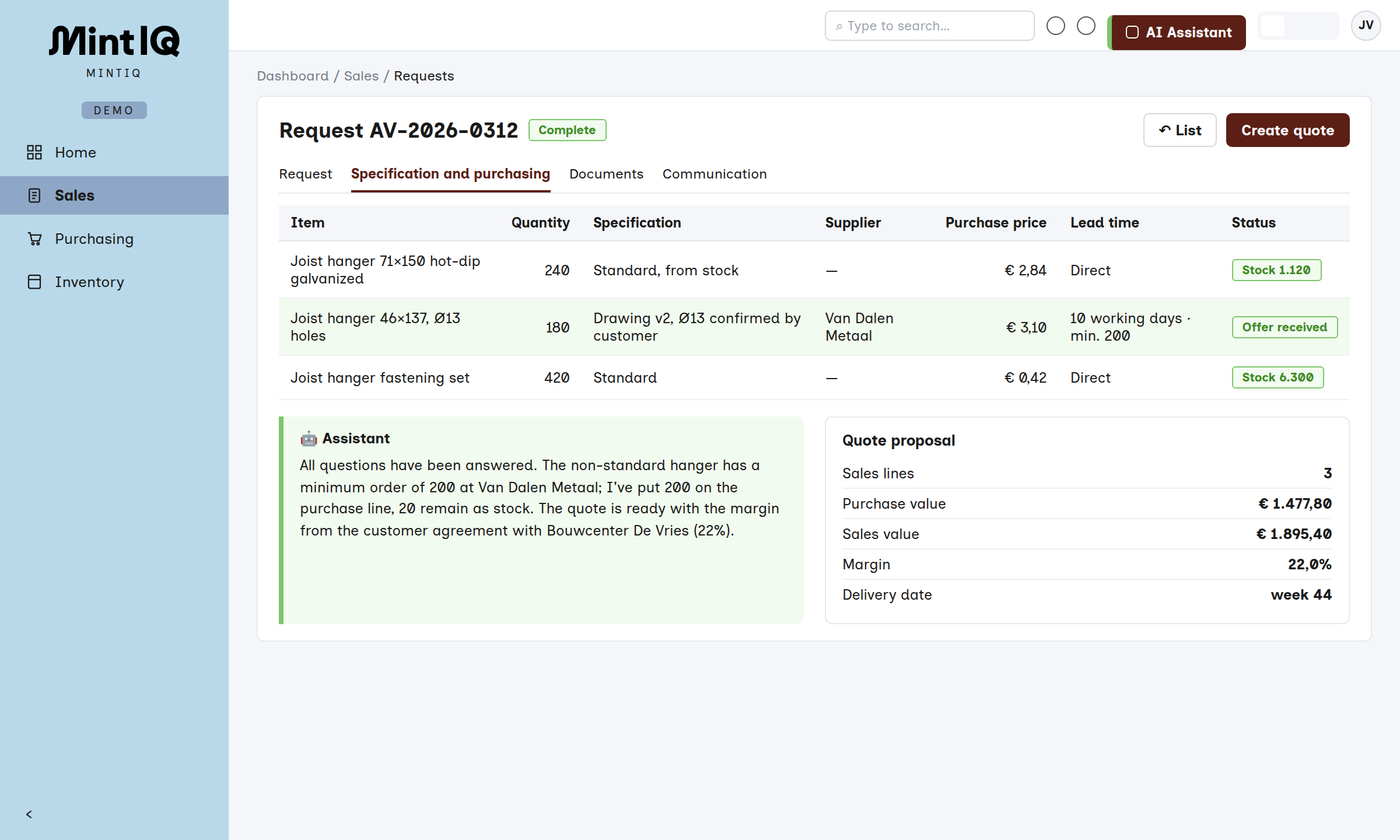
Back and forth by email with customer and supplier, with versions in attachments and the current status in someone's head.
The request, the answers and the supplier's offer sit together, and the quote comes out of that.
Order and purchasing
The order is in the ERP, the purchasing is ordered separately, and which purchase belongs to which customer is known to the buyer.
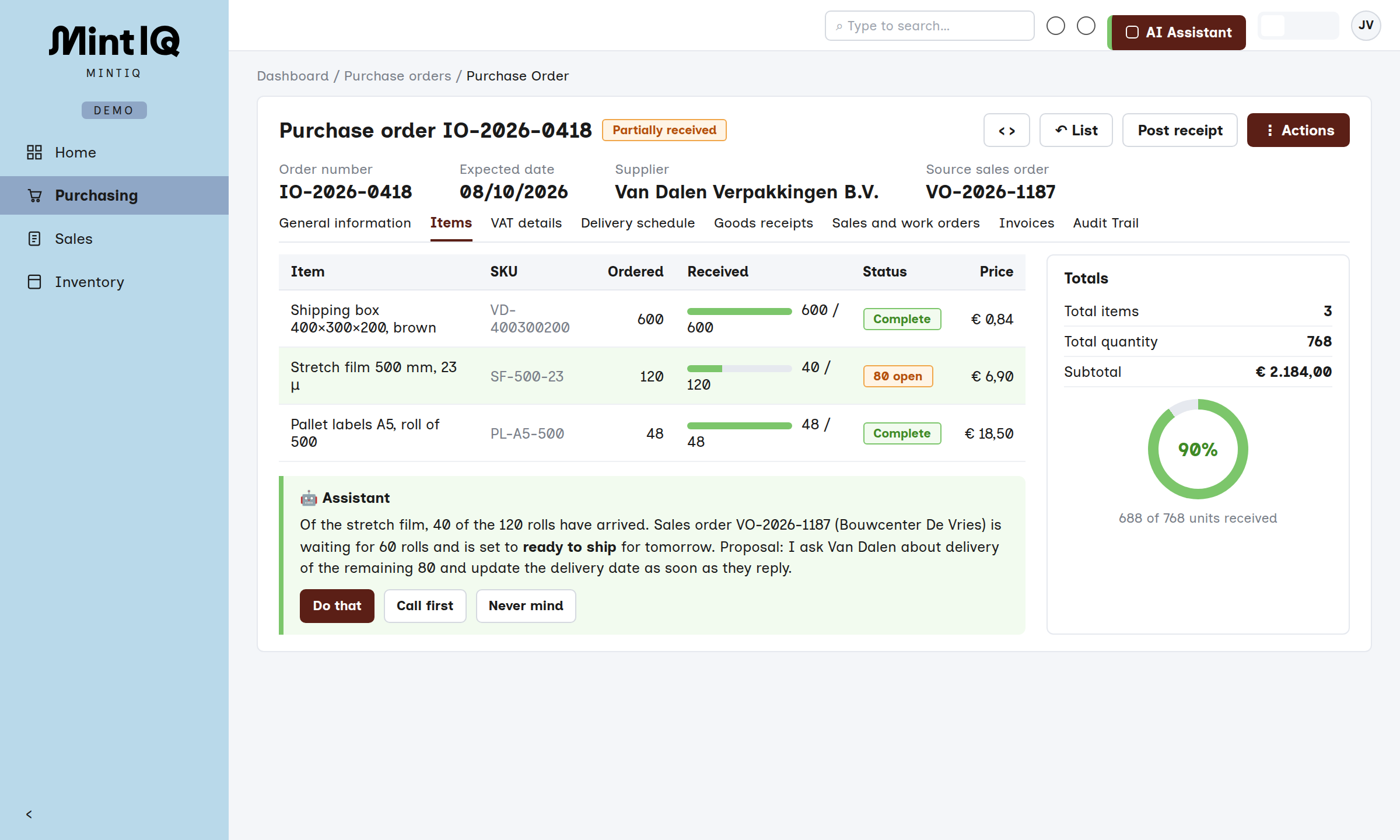
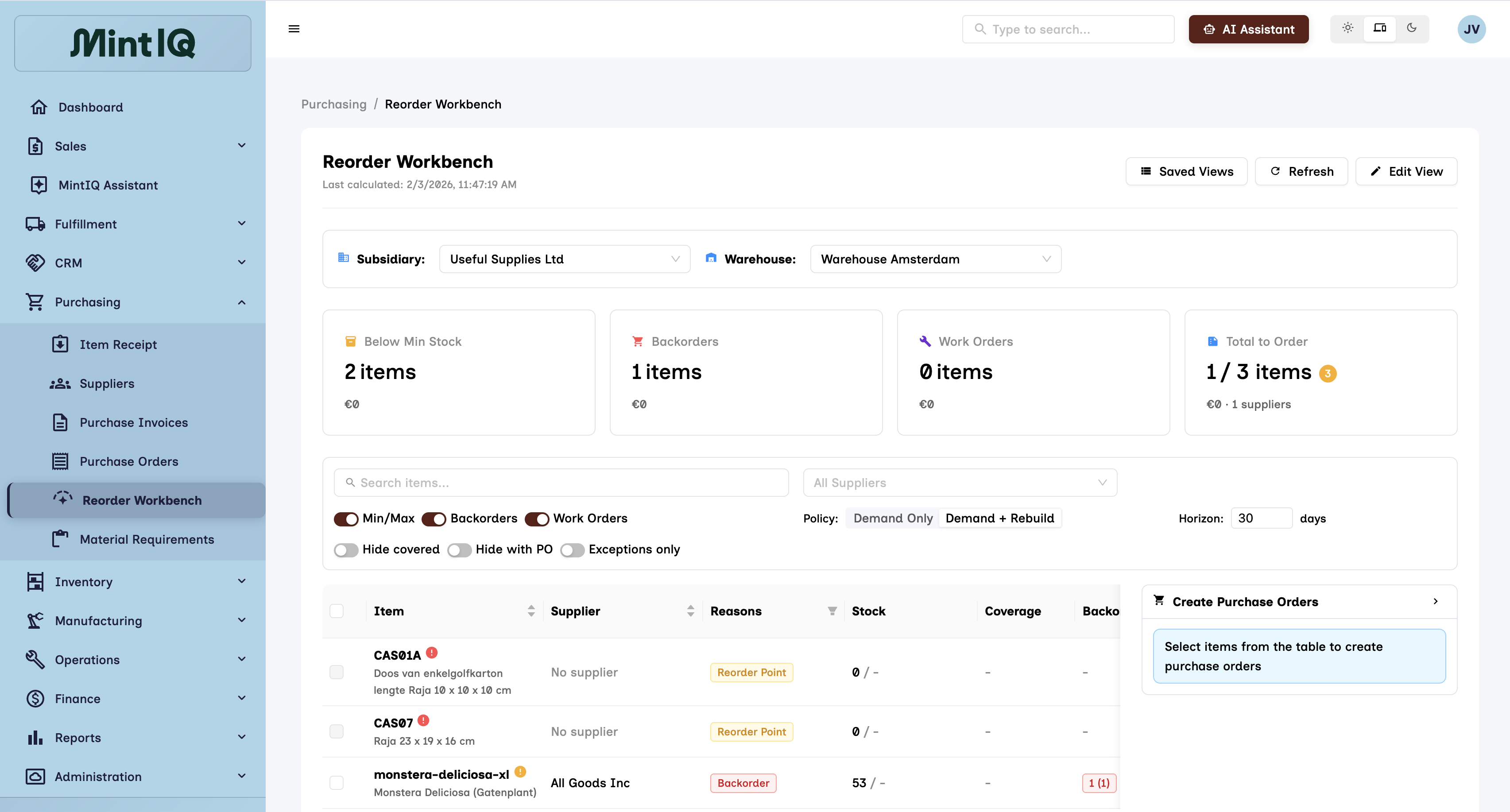
The purchase order comes with minimum order quantity and lead time, and is allocated to the sales order. For the standard range, the reorder proposal is ready on the workbench.
Assembly
A list in Excel of what the workshop needs to do, updated when someone remembers.
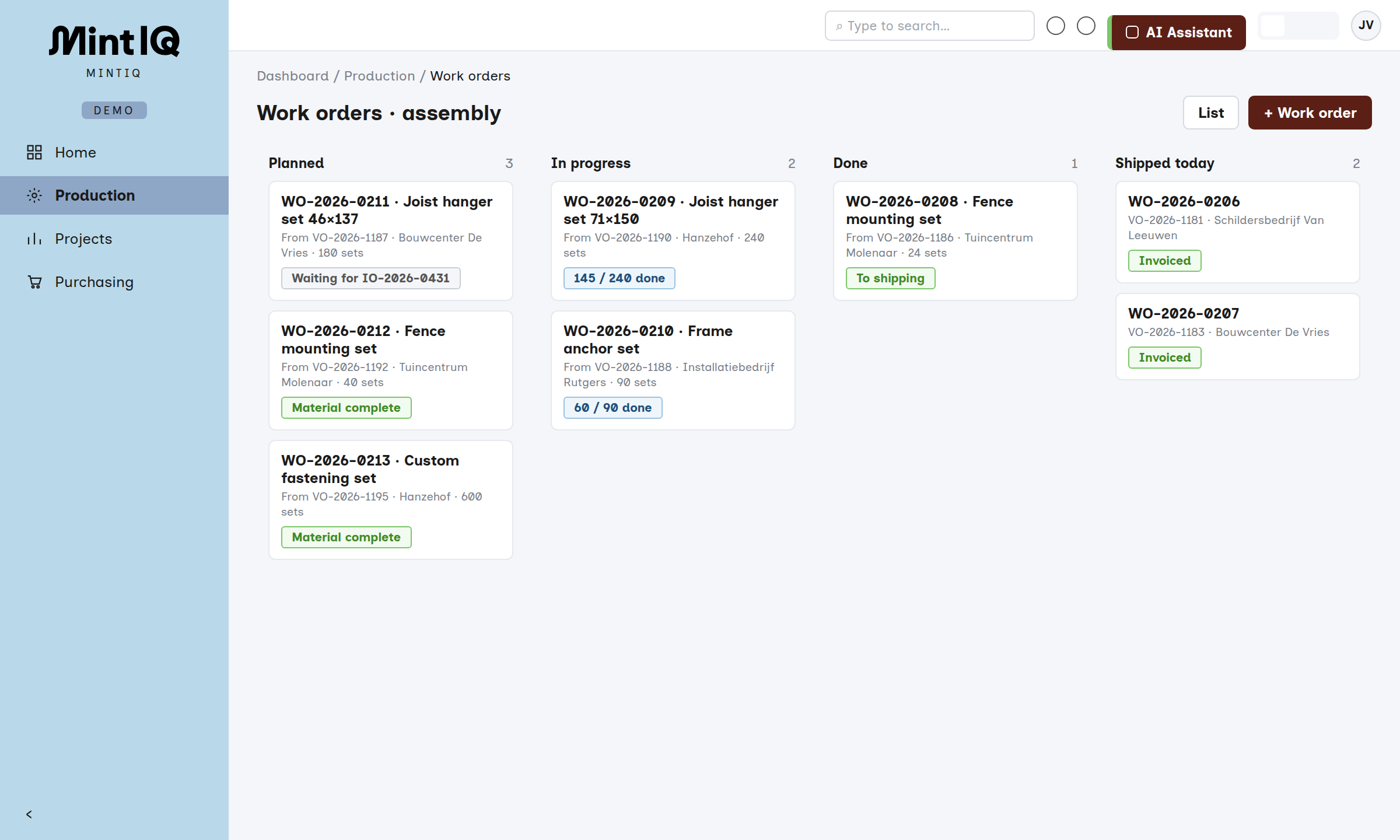
The bill of materials creates a work order automatically at the sale, and the board shows what is ready and what is still waiting.
Receiving and storage
Tick off the packing slip, book the stock later and remember where it is.
Scan by item or pallet, with lot or batch, and the system assigns the location. A deviating batch stays blocked until someone releases it.
Picking, shipping, invoicing
A pick list on paper, the customer agreements on a note and the invoice entered by hand in the accounting package.
Task-driven picking on the scanner, with the customer rules on the pick list. After shipping, the invoice goes to Exact or AFAS.
Order desk and warehouse in the same system
A warehouse that really takes part
Receiving by item or pallet scan, logistic units and pallet types, putaway to locations and task-driven picking on the scanner. Lot, batch, best-before date and serial numbers travel through the whole flow, so you can always trace a batch.
Purchasing that knows who it is buying for
Supplier offers with minimum order quantity and lead time, allocation to sales orders and a workbench for reorders. If a supplier emails that it will be late, MintIQ updates the date and you see which customers are affected.
Custom work without a list on the side
Bills of materials that create the work order themselves at the sale, and a board for the workshop, in the same system as the order.
Adjust it yourself
Customer rules in plain language, reports you make by asking for them, and roles and menus per user.






Let's talk
Have a question, or want to know what MintIQ could mean for you? We are happy to help. Tell us briefly how your order flow works, and we will show you MintIQ with a process that looks like yours. And if we are not the best choice, we will say so.
- Email us
- hello@mintiq.com
- Response time
- Within a few hours, 24 at most
- Visit us
- Amsterdam (HQ) · Prins Hendrikkade 21-E
Utrecht · Stationsplein 32