
For companies that engineer, purchase, assemble and deliver per project
One sales order quickly becomes a whole series: purchasing parts, outsourcing work, assembling, transporting and installing on site. MintIQ keeps those orders attached to the project, so the question of whether you will still make the delivery date is answered at a glance.
What we see at project companies
The old version has already been ordered
The engineer changes the specification, and the change goes to purchasing by hand. Sometimes the old version has already been ordered by then, and someone only notices when the parts arrive.
The status is in the mailbox
Where a purchase order stands is reconstructed from mailboxes, by whoever happens to have the supplier's latest email.
Everything in one head
The missing part only shows up at assembly. The planner is the only one who sees how the orders of a project fit together.
Every line of the project gets its own route. The project keeps them together.
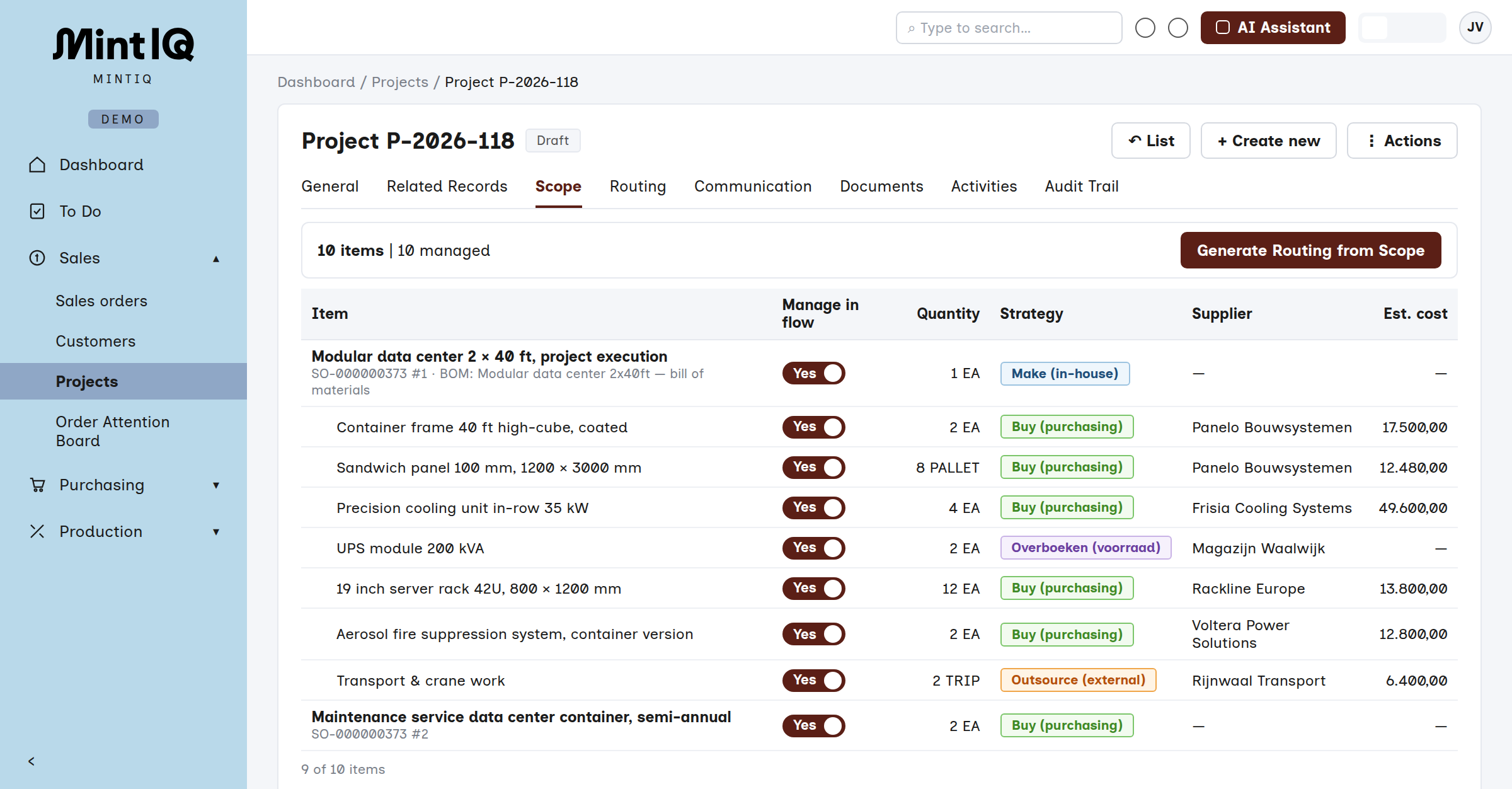
A project is rarely one kind of work. One part you buy, another you make yourself, a third you have coated or installed by someone else, and what you already have on the shelf you transfer. In MintIQ you choose that per line of the scope, and MintIQ turns it into the right order. If the schedule changes, you switch one line and the rest moves with it.
Buy
A purchase order with the supplier, linked to the project. The expected receipt sits right next to the date the assembly needs it.
Make
A work order in your own workshop, with the bill of materials attached. The parts are reserved as soon as the work order is released.
Outsource
A service request to a third party: coating, welding, transport, installation on site. What leaves and comes back stays visible as a step in the routing.
Transfer
From free stock, or from another warehouse or project. No new order if it is already on the shelf.
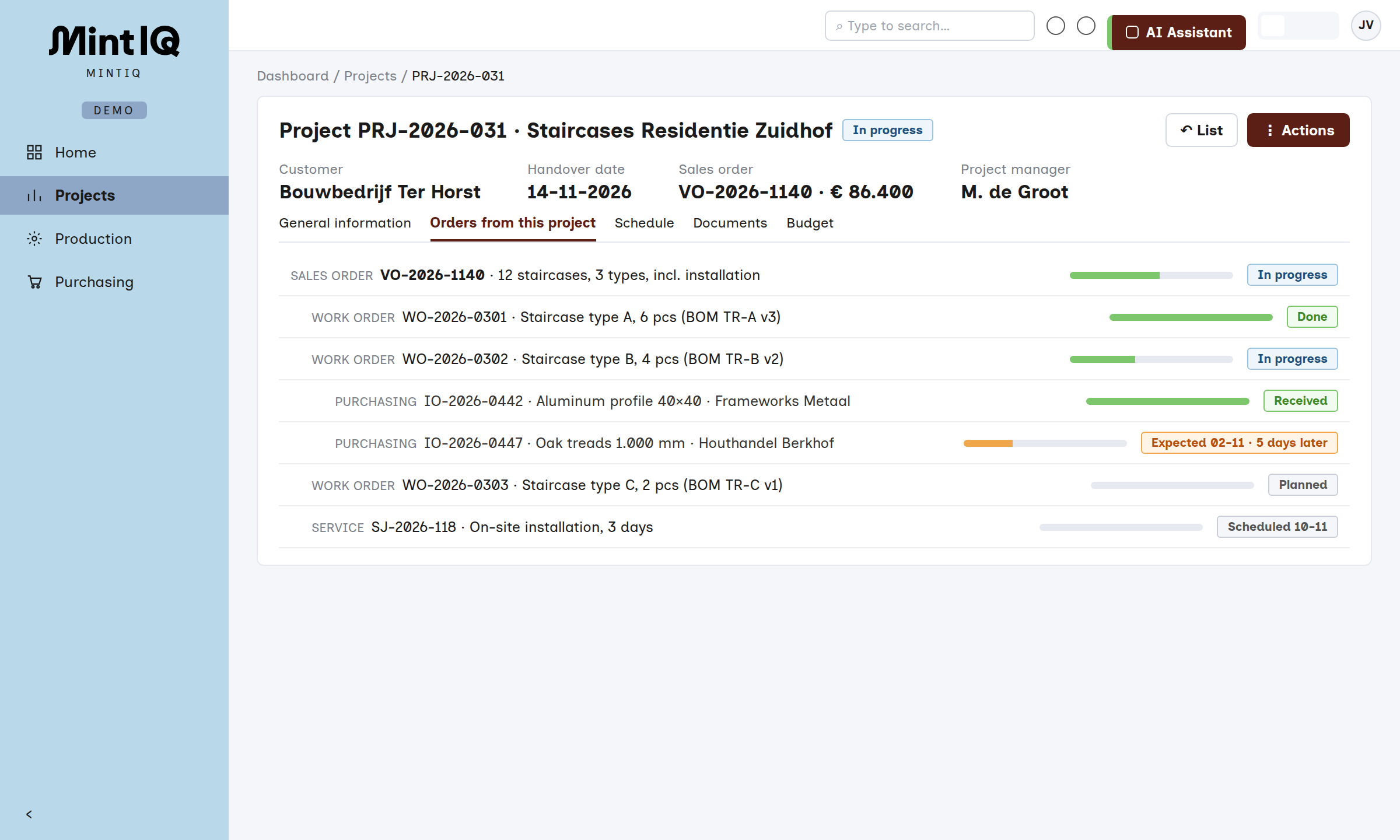
One project, from sales order to handover
The sales order
An order in the ERP, and beneath it a folder of emails, drawings and a schedule in Excel.
The order belongs to a project, and the purchase and work orders that come out of it stay linked to it.
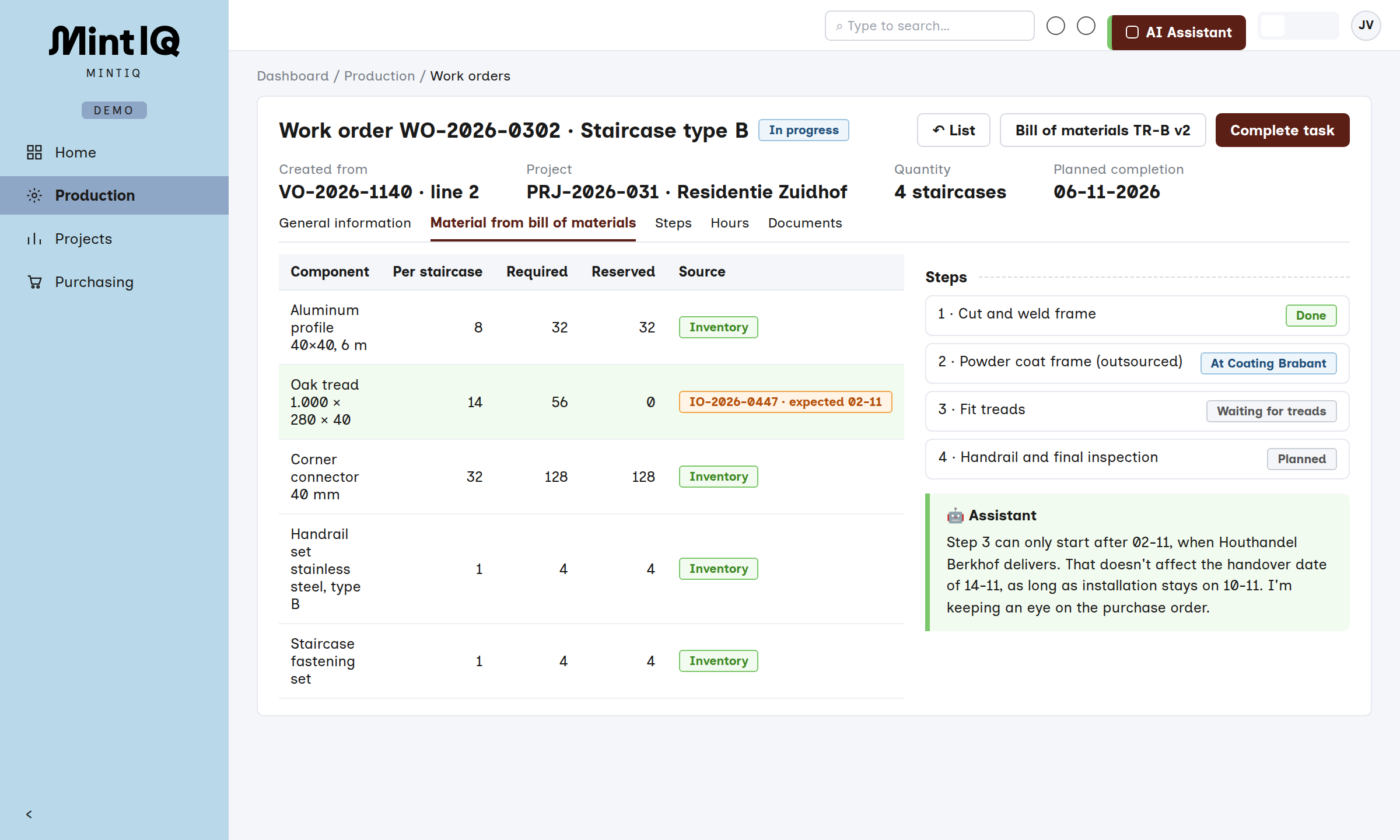
Bill of materials and work order
The bill of materials in a spreadsheet, the work order made by hand later.
The bill of materials creates the work order automatically at the sale.
Purchasing
Ordering by email and keeping the status in the buyer's head.
Purchase orders with supplier offer, minimum order quantity and lead time, allocated to the order. If a supplier emails that it will be late, MintIQ updates the date and flags what is now at risk.
Receiving and quality
Tick off the packing slip and hope the right batch has arrived.
Incoming batches are scanned, with sorting and quality orders where needed, and lot tracing carries through the assembly.
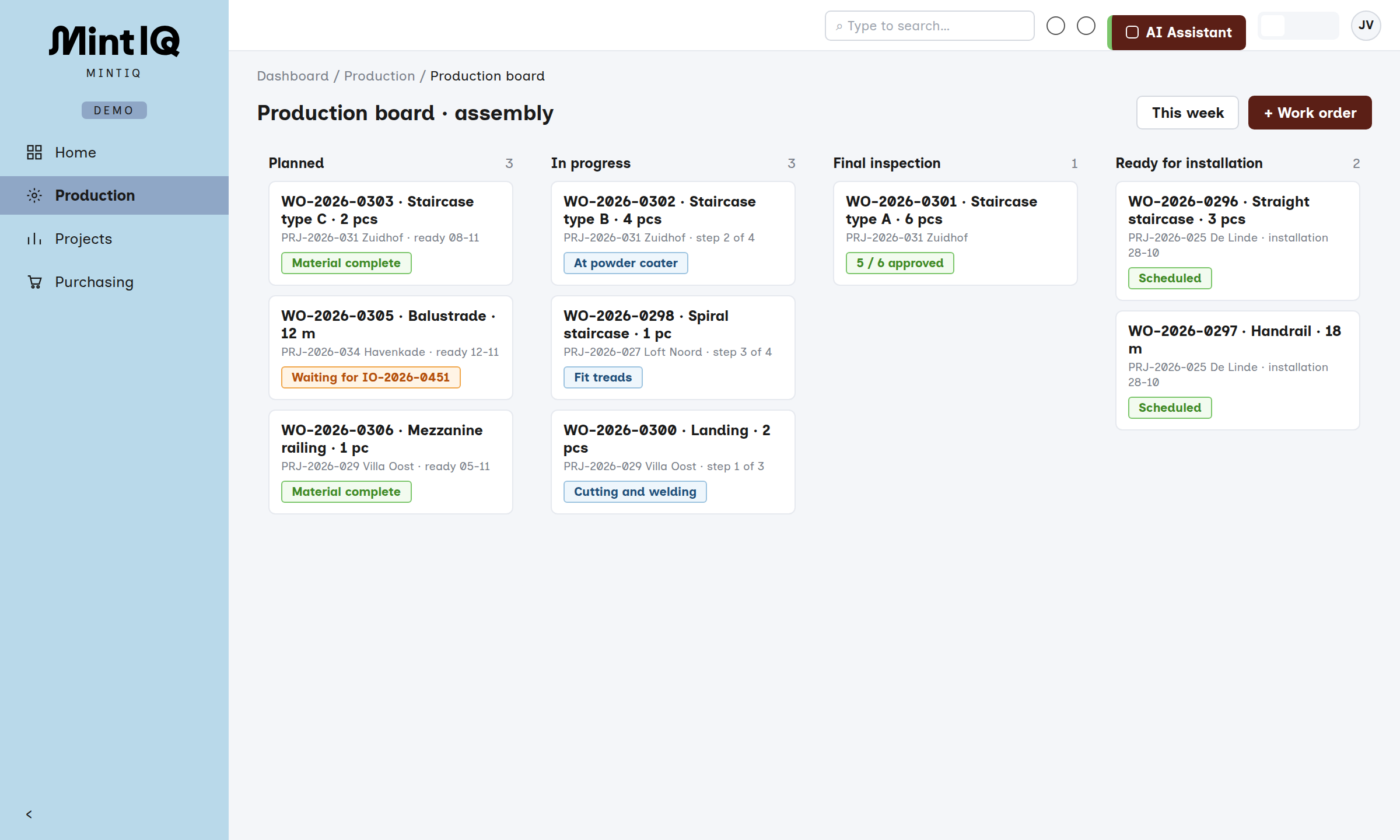
Assembly
The whiteboard in the hall, and asking the planner what can be done today.
The production board shows what is ready, what is waiting and what it is waiting for.
Will we still make it?
Calling around and searching mailboxes to reconstruct where the project stands.
The project shows all the orders beneath it and their status, so you see at once whether the handover is still achievable.
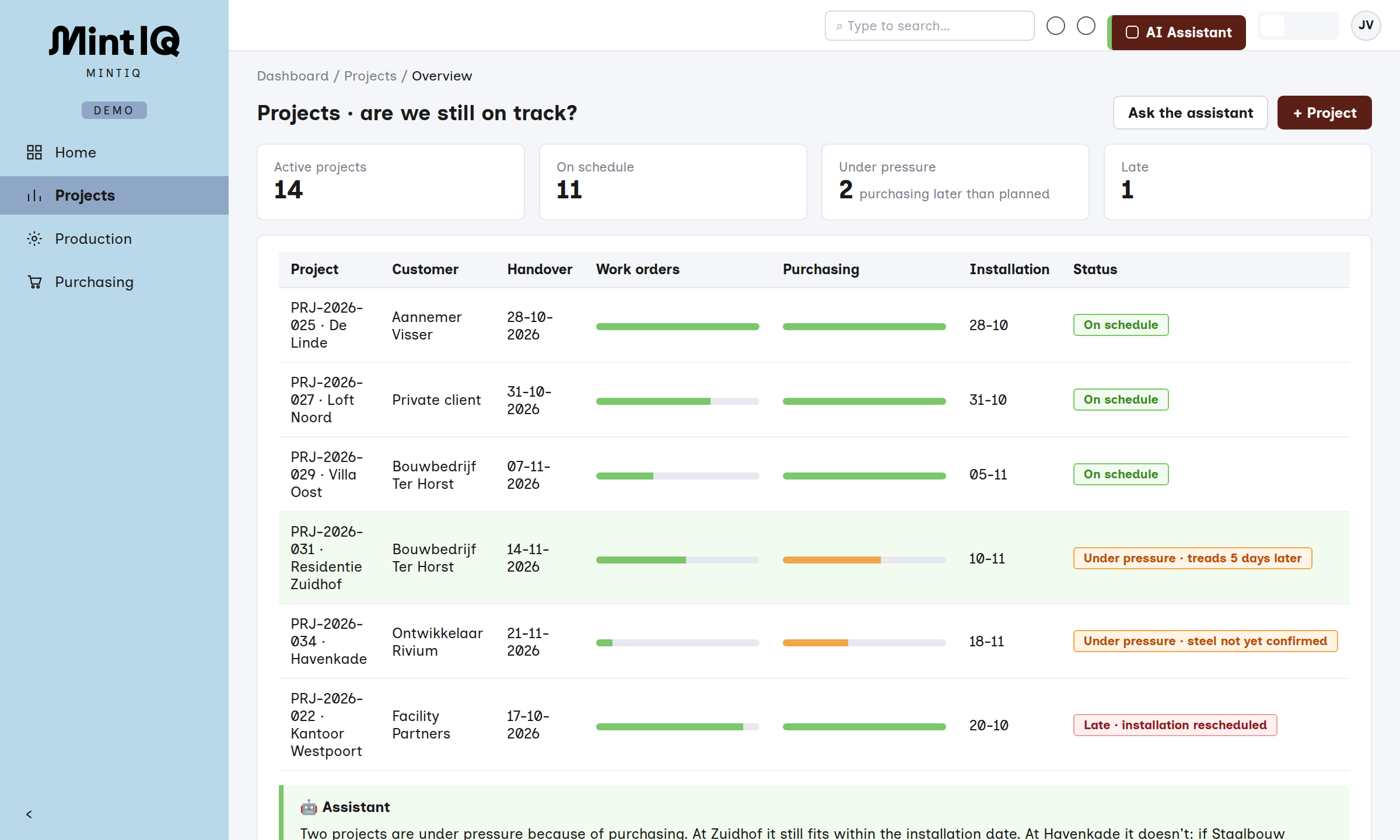
The project in view as a whole
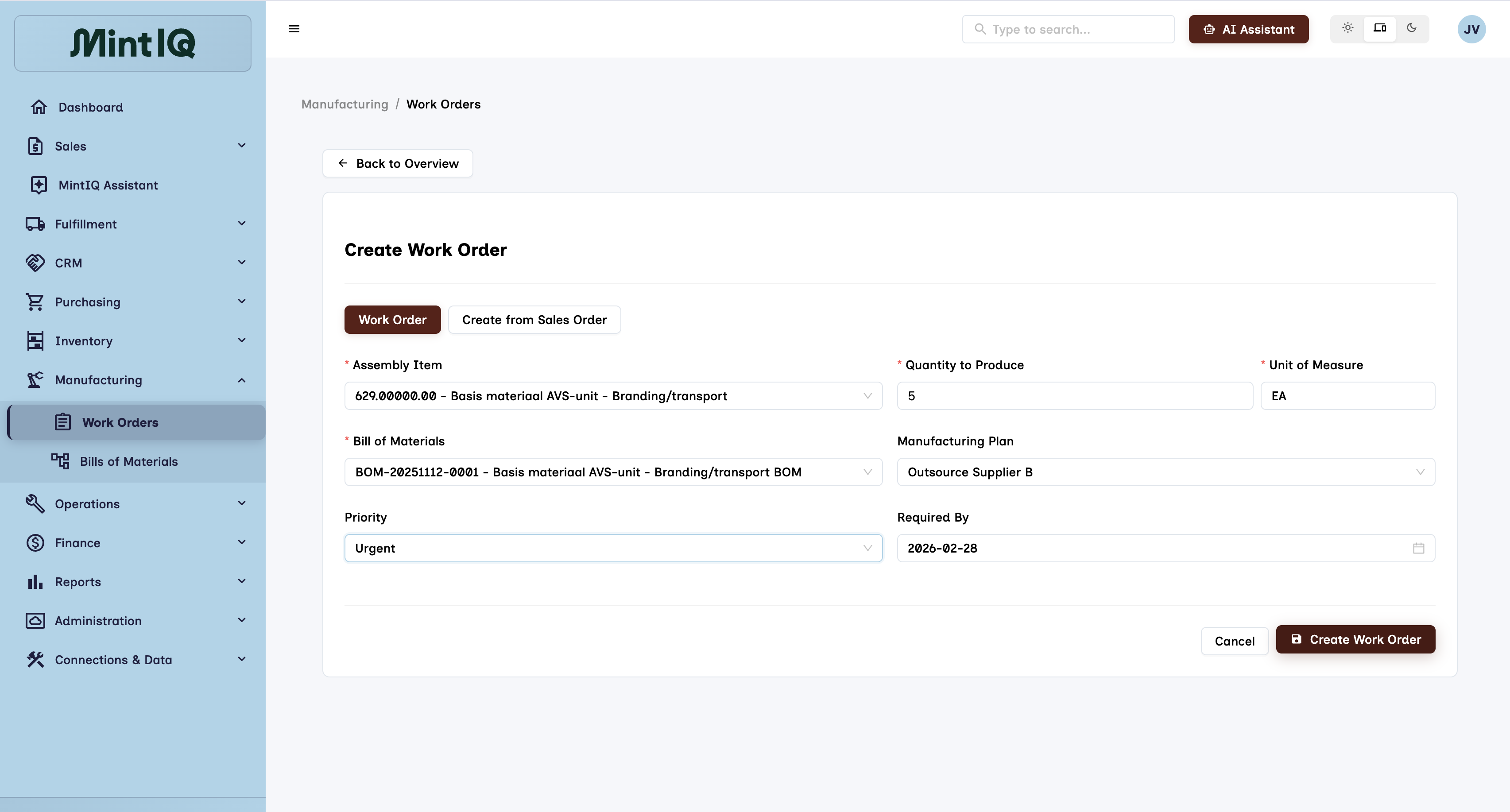
Orders that stay together
Sales, purchase and work orders belong to the project and are allocated to each other, so a delay at a supplier is immediately visible on the order waiting for it.
Traceable through the assembly
Lot and serial numbers travel from receipt to the assembled product, and sorting and quality orders catch deviating batches.
A warehouse for the parts
Receiving by scan, locations and task-driven picking for assembly, in the same system as the project.
Questions and reports
Which projects are waiting for a part from this supplier? You ask in plain language and pin the report to the dashboard.






Let's talk
Have a question, or want to know what MintIQ could mean for you? We are happy to help. Tell us briefly how your order flow works, and we will show you MintIQ with a process that looks like yours. And if we are not the best choice, we will say so.
- Email us
- hello@mintiq.com
- Response time
- Within a few hours, 24 at most
- Visit us
- Amsterdam (HQ) · Prins Hendrikkade 21-E
Utrecht · Stationsplein 32